Clip Watcher v2
Live & Past Stream Auto-Clipper
A desktop app that turns Twitch and YouTube streams into ready-to-post 9:16 clips with English captions, on your own computer. Watch a stream live and clip the moments chat explodes, or paste a finished stream and get its most re-watched moments, or the exact timestamps you type.
Own Clip Watcher v1? Check out with the same email and ₹100 is taken off automatically, so you pay ₹149.
Digital download only (Windows app + PDF guide). After Razorpay payment is successfully verified, secure download access is provided through the success page and email.
 STREAM AUTO-CLIPPER · V2LIVE + PAST STREAMS · EXACT TIMESTAMPS · 9:16 · CAPTIONS
Paste a link.
Collect clips.
Live: it clips the moments chat explodes while the stream is still going. Past streams: it finds the most re-watched or loudest moments, or cuts the exact timestamps you give it.
Paste a link
A live stream, a finished YouTube stream or video, or a Twitch VOD.
Finds the moments
Live: chat spikes. Past: YouTube's most-replayed parts, the loudest reactions, or your exact timestamps.
Downloads only those parts
For past streams it fetches just the moments, not the whole multi-hour video.
Makes the clip
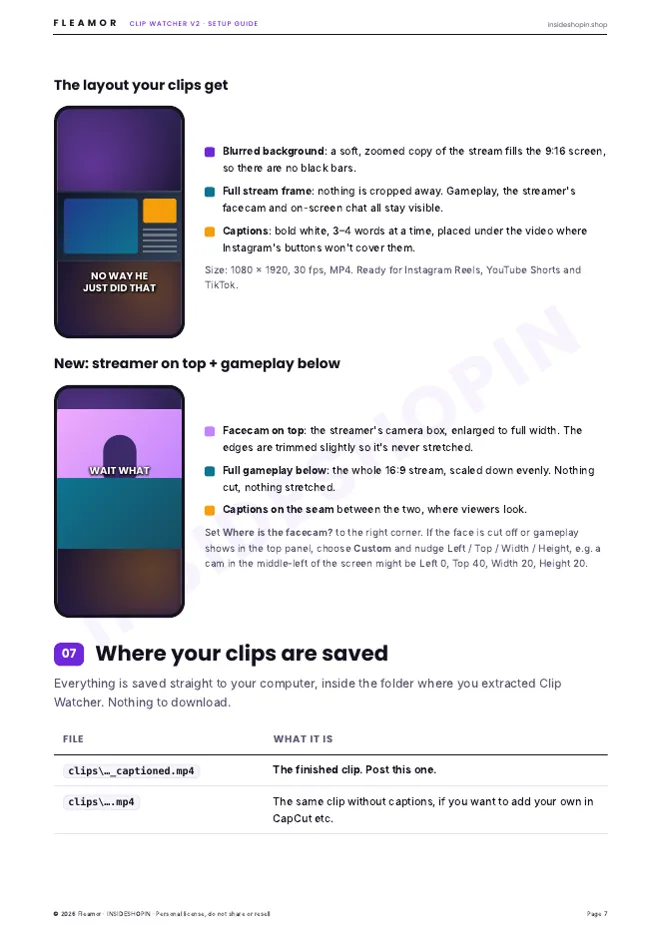
Frames it 9:16 (full frame, or streamer on top + gameplay below) and burns in English captions.
Missed the stream? Clip it afterwards from the VOD, without downloading hours of video
Get the exact moments from a timestamp list, ready for clipping campaigns
Run it on your own PC with no subscription, no upload limits and no credits
See it working.
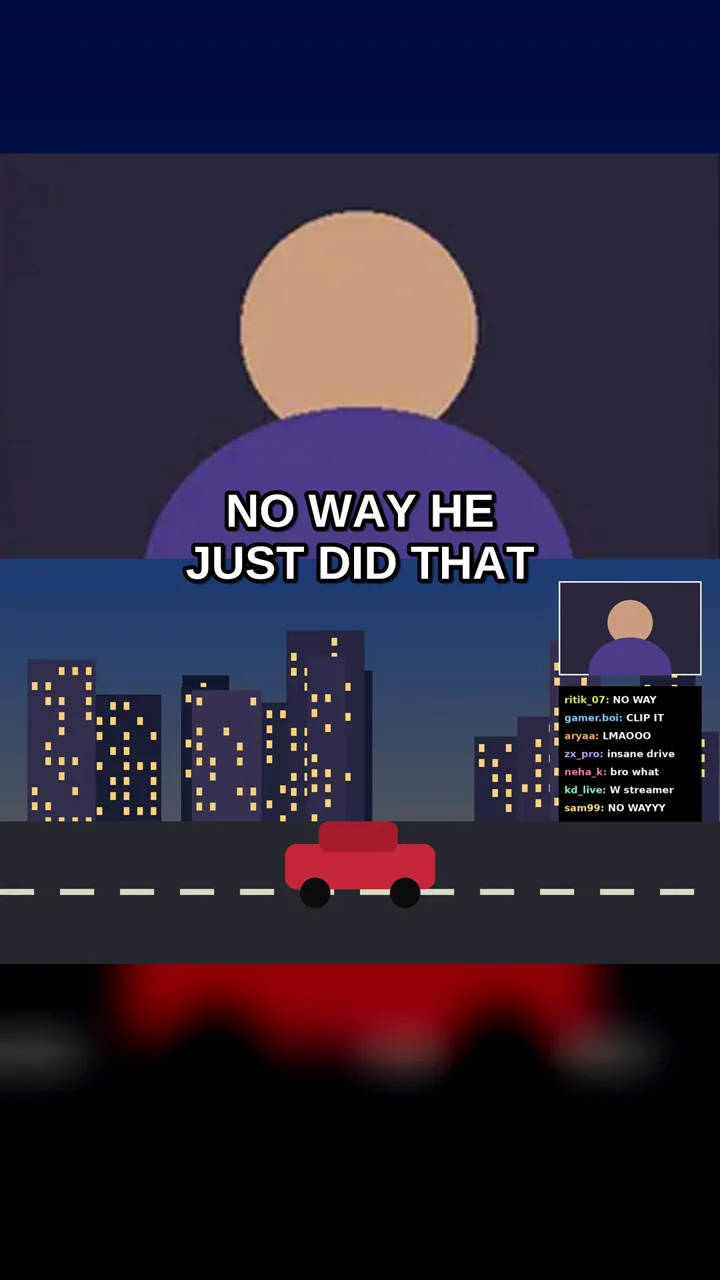
Real screenshots of the Clip Watcher dashboard and of a clip made by its layout and caption engine. The demo stream is a mock-up, not a real streamer.
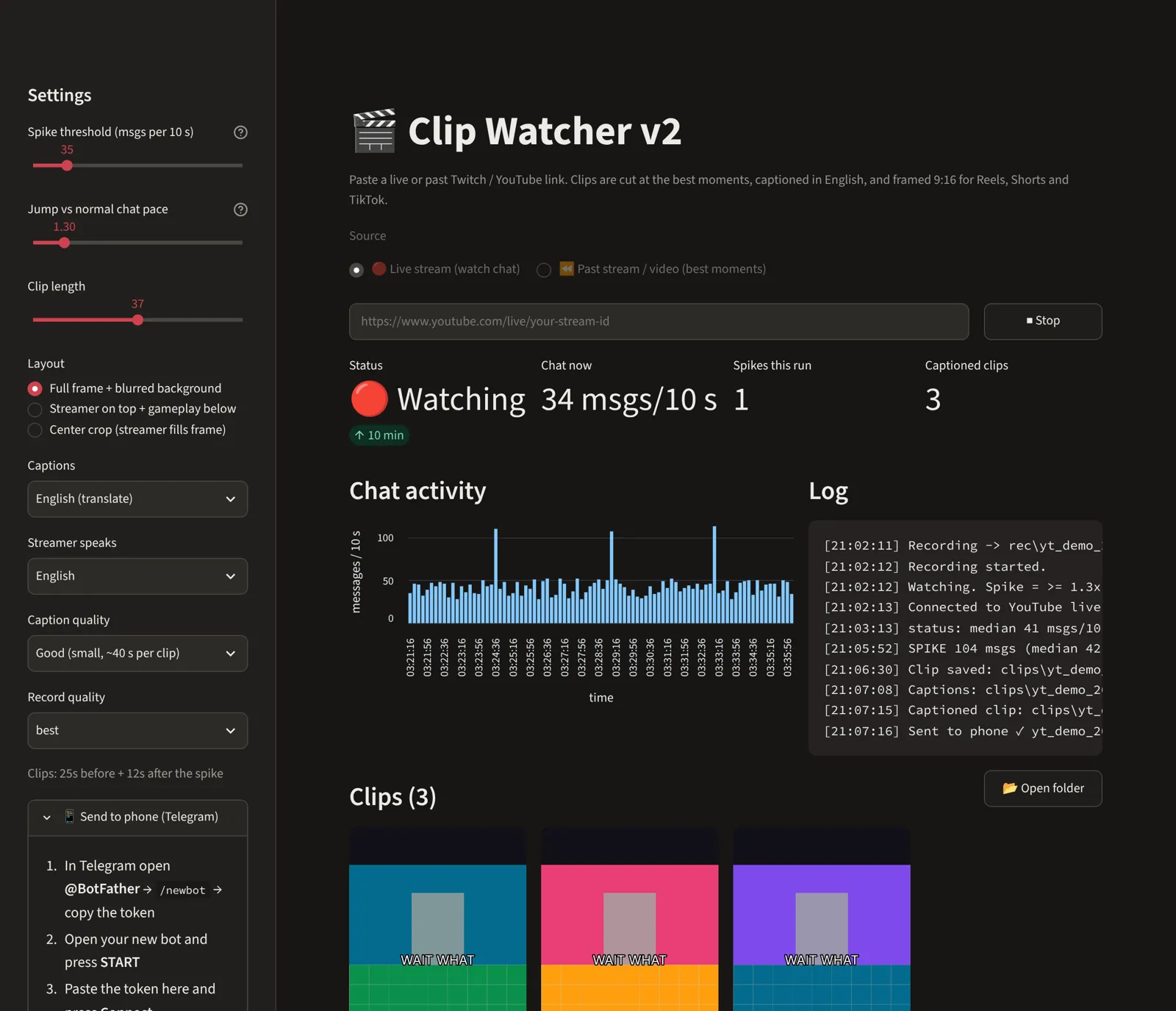
localhost:8501: settings on the left, live chat activity and the log in the middle, finished clips at the bottom.
The whole stream frame stays visible (gameplay, facecam and on-screen chat) on a blurred 9:16 background, with bold captions under the video where Instagram's buttons won't cover them. 1080 × 1920, 30 fps MP4.
The toolkit, inside.
Clip Watcher v2 app with a one-click installer (install.bat) and launcher (start.bat)
Live mode: watches chat and clips the spikes while the stream is running
NEW · Past-stream mode: finished YouTube streams and videos, and Twitch VODs
NEW · Exact timestamps: type 1:22:26 or 1:45:10-1:45:50 and get those exact clips
NEW · Streamer-on-top layout: facecam big on top, full gameplay below, nothing stretched
English captions burned in plus .srt files, an on/off switch to auto-send clips to your phone via Telegram, 13-page PDF guide
Step by step, no coding.
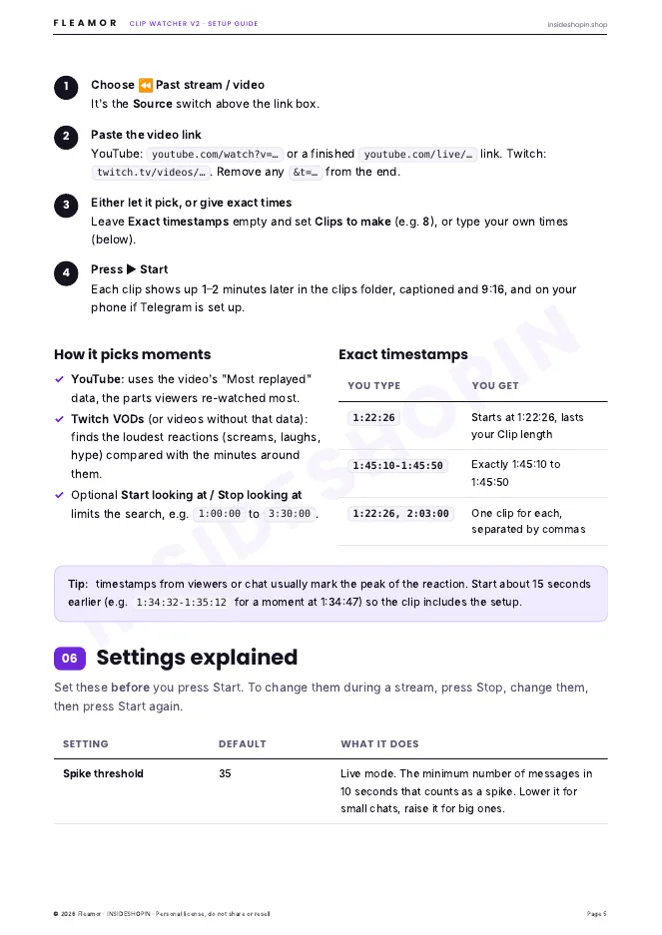
Every purchase includes an 8-page setup guide: what you need, install, first clips, every setting explained, where clips are saved, tips for better clips, troubleshooting and support. Have a look before you buy.
What you need.
Windows 10 or 11 laptop or desktop. Any modern CPU works, no graphics card needed.
About 4 GB for the install, plus 1–3 GB per hour of live stream you record. Past-stream clips only download the moments.
Stable enough to watch the stream in HD. The first install downloads about 1.5 GB.
3.10 or newer. The installer installs it (and the other tools) automatically if they're missing.
Works with
- ✓YouTube streams that are live right now, with live chat on
- ✓Twitch channels that are live right now
- ✓NEW: finished YouTube streams and videos, and Twitch VODs
- ✓Hindi, English and most other spoken languages (captions in English)
Does not work with
- ✕Kick, Instagram Live, Facebook Live
- ✕Members-only, private or age-restricted streams and videos
- ✕Live mode on streams with chat turned off (use exact timestamps on the VOD instead)
Only clip what you're allowed to clip. Use Clip Watcher for streamers who allow clipping or for official clipping and rewards campaigns. You're responsible for following the rules of each streamer and platform.
Three steps, then clips.
Install once
Extract the ZIP and double-click install.bat once (10–20 minutes)
Paste a live link
Double-click start.bat, pick Live or Past stream, paste the link (and timestamps if you have them)
Collect your clips
Press Start: captioned 9:16 clips appear on the page, in your clips folder and on your phone
Good to know.
I bought v1. Do I get a discount?
Yes. Check out with the same email you used for v1 and ₹100 is taken off automatically in the payment window, so v2 costs you ₹149. Your v1 download keeps working.
What's new compared with v1?
Past-stream mode (VODs), exact timestamps, the streamer-on-top layout, faster phone sending, and easier settings for busy chats.
Does past-stream mode download the whole video?
No. It finds the moments first, then downloads only those short parts.
Do I need to keep my laptop on?
Yes, while it's working. Clip Watcher runs on your own computer. For live streams keep it plugged in and turn off sleep.
How good are the captions?
Captions are made by an AI speech model on your PC and translated to English. They're readable but may sound literal, so check them before posting.
Can I clip any streamer?
Only clip streams you have permission to clip, such as streamers who allow clipping or official clipping and rewards campaigns. You're responsible for following each platform's rules.
What if YouTube or Twitch changes something?
Streaming sites change from time to time. If a change breaks Clip Watcher within 6 months of your purchase, you get the fixed version free. Email us with your order email.
Is this a subscription?
No. It's a one-time purchase with no recurring charges and no credits. It runs on your own computer.
When will I get the download?
After successful payment verification, secure download links for the app ZIP (which includes the PDF guide) are provided on the success page and by email.
Can I get help?
Email insideshopin@gmail.com with your order email, a screenshot of the page and the black window, and the stream link you used.
Clip Watcher v2 — Live & Past Stream Auto-Clipper
₹249 · one-time purchase · Windows 10/11